



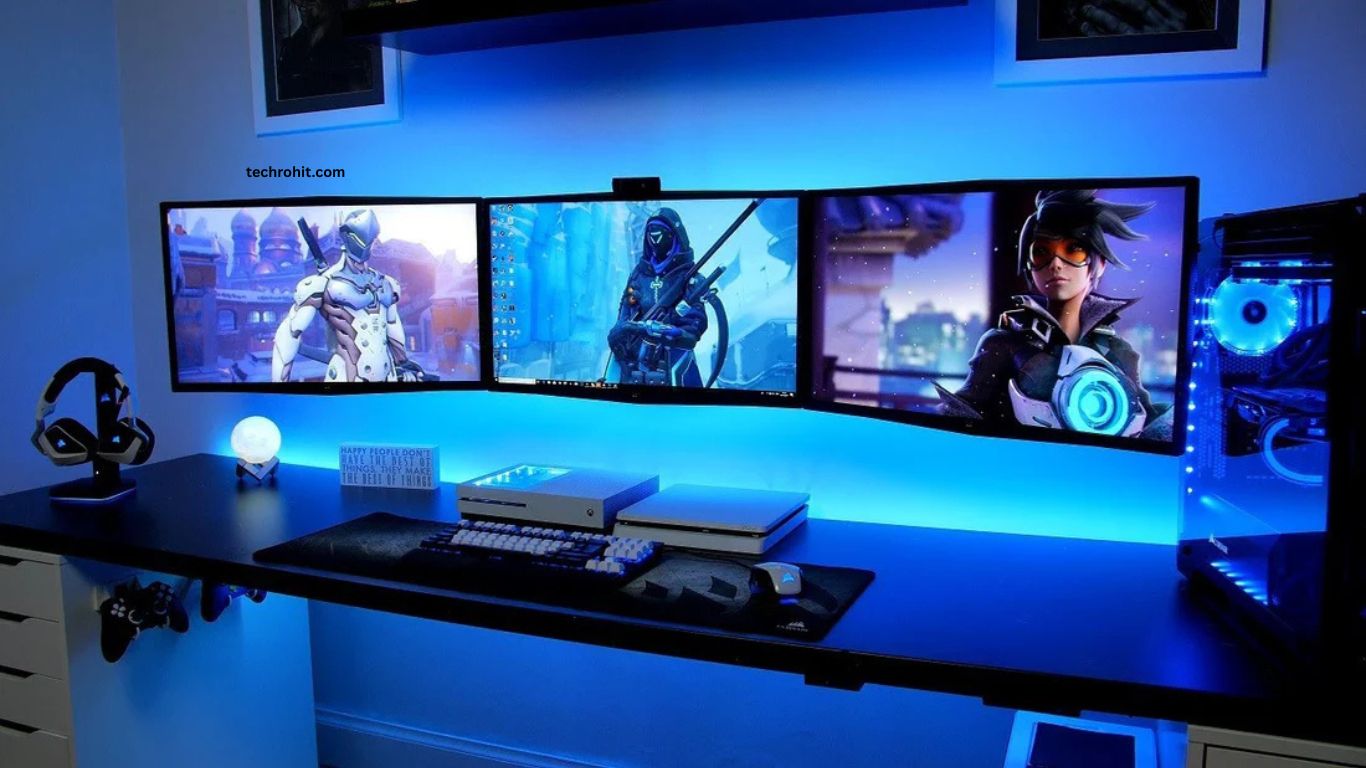
Every gamer wants a setup that delivers speed, comfort, and consistent performance. Whether playing competitive esports titles or exploring visually demanding games, the right gaming environment can improve reaction time, reduce distractions, and create a more enjoyable experience. A carefully planned gaming setup also helps maintain focus during long gaming sessions.
Modern gaming setups combine powerful hardware with smart organization and ergonomic design. High-refresh-rate displays, responsive peripherals, efficient cooling, and proper lighting all contribute to a better gaming experience. Investing in the right components creates a balance between performance, comfort, and long-term reliability.
Read More: Best Open-World Games for Endless Adventures
Powerful Gaming PC Creates Strong Foundation
A high-performance gaming PC remains the heart of every gaming setup. Choosing a modern processor with multiple cores ensures smooth gameplay while handling background applications. Pairing the processor with a powerful graphics card delivers high frame rates, realistic visuals, and stable performance in demanding games.
Fast memory also plays a major role. Higher RAM capacity allows games to load quickly while reducing lag during multitasking. Solid-state drives provide faster loading times compared to traditional hard drives, helping players enter matches without unnecessary waiting.
High Refresh Rate Monitor Improves Gameplay
A quality gaming monitor significantly impacts performance. Displays with refresh rates of 144Hz, 240Hz, or higher provide smoother motion, making fast-paced games feel more responsive. Combined with low response times, these monitors reduce motion blur and improve target tracking.
Higher resolution enhances image clarity, while adaptive synchronization technologies help eliminate screen tearing. Choosing the right screen size based on desk space creates a comfortable viewing experience for extended gaming sessions.
Mechanical Keyboard Boosts Speed
Mechanical keyboards offer faster key response and greater durability than standard keyboards. Different switch types provide unique typing and gaming experiences, allowing players to select options matching personal preferences.
Customizable RGB lighting improves visibility during nighttime gaming while adding personality to the setup. Programmable keys also increase productivity for gamers who create content or stream online.
Precision Gaming Mouse Enhances Accuracy
A high-quality gaming mouse provides accurate tracking and adjustable sensitivity. Modern sensors deliver excellent precision across multiple gaming genres, including first-person shooters, strategy games, and multiplayer online battle arenas.
Comfort remains equally important. Selecting a mouse that matches hand size and grip style reduces fatigue while maintaining precise control during long gaming sessions.
Comfortable Gaming Chair Supports Better Posture
Comfort directly affects gaming performance. An ergonomic gaming chair supports the back, neck, and shoulders, helping maintain proper posture during extended play.
Adjustable armrests, lumbar support, and reclining functions improve comfort while reducing physical strain. Good posture also helps maintain focus throughout competitive matches.
Efficient Cooling Maintains Stable Performance
Gaming hardware generates significant heat during intensive workloads. Proper airflow keeps temperatures under control while maintaining stable frame rates.
Quality CPU coolers, additional case fans, and clean cable management improve air circulation. Regular cleaning prevents dust buildup, ensuring cooling systems continue operating efficiently.
Quality Headset Improves Communication
Clear audio enhances awareness during gameplay. Gaming headsets with surround sound help identify footsteps, directional sounds, and environmental effects more accurately.
Noise-canceling microphones improve communication with teammates, making multiplayer sessions more effective and enjoyable. Comfortable ear cushions also reduce fatigue during extended use.
RGB Lighting Creates Immersive Atmosphere
Thoughtfully designed RGB lighting adds style without distracting gameplay. Adjustable brightness and synchronized lighting effects create a modern gaming environment while improving desk visibility.
Ambient lighting behind monitors reduces eye strain during dark-room gaming, making longer sessions more comfortable.
Cable Management Keeps Setup Organized
A clean gaming desk improves both appearance and functionality. Organized cables increase airflow, simplify maintenance, and create extra space for accessories.
Cable sleeves, routing clips, and under-desk trays hide unnecessary wiring while making the gaming area look professional. Organized workspaces also reduce distractions and improve productivity.
Stable Internet Connection Reduces Lag
Online gaming depends heavily on reliable internet performance. Wired Ethernet connections typically deliver lower latency than wireless connections, reducing lag during competitive matches.
Modern routers with gaming optimization features help prioritize gaming traffic, ensuring smoother online experiences even when multiple devices share the network.
Gaming Accessories Complete Experience
Additional accessories enhance both comfort and performance. Large mouse pads provide smooth movement, while monitor arms free valuable desk space.
USB hubs simplify device connections, and quality speakers create immersive entertainment when headsets are unnecessary. Small upgrades often produce noticeable improvements in convenience and overall gaming satisfaction.
Future-Proof Gaming Setup
Technology evolves rapidly, making upgrade flexibility important. Choosing compatible motherboards, larger power supplies, and spacious PC cases allows easier future hardware upgrades.
Planning for expansion saves money over time while extending the lifespan of the gaming system. A future-ready setup adapts to new games and emerging technologies without requiring a complete rebuild.
Frequently Asked Questions
What is the most important part of a gaming setup?
A powerful CPU and GPU are the foundation of smooth gaming performance.
Does a 144Hz monitor improve gaming?
Yes, it provides smoother visuals and faster response during gameplay.
Why is an SSD recommended for gaming?
An SSD reduces game loading times and improves overall system speed.
Is a mechanical keyboard better for gaming?
Yes, it offers quicker key response, better durability, and improved accuracy.
How can I reduce gaming lag?
Use a wired Ethernet connection and keep your hardware updated.
Why is cable management important?
It improves airflow, keeps the setup organized, and makes maintenance easier.
Conclusion
Building a gaming setup for maximum performance requires balancing powerful hardware, ergonomic comfort, efficient cooling, and smart organization. Every component contributes to smoother gameplay, faster response times, and greater reliability. A thoughtfully designed setup not only improves gaming performance but also creates a comfortable environment for streaming, content creation, and everyday computing. Investing in quality equipment today provides lasting value and prepares gamers for future advancements in gaming technology.
